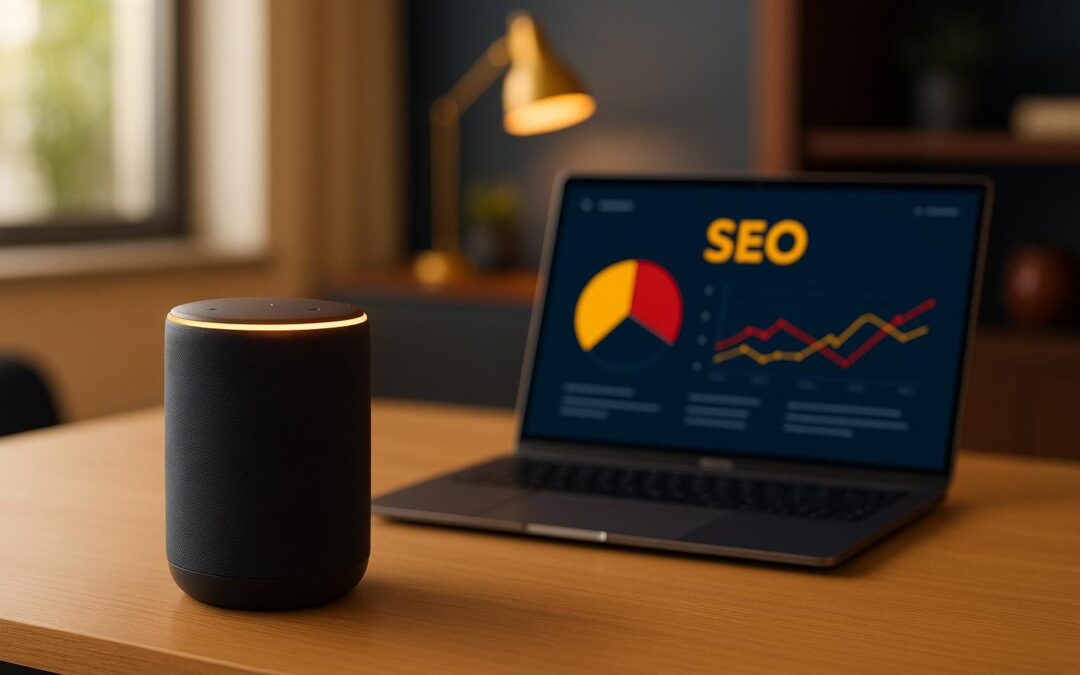
Voice search is changing how people find businesses in 2025. To stay visible, businesses must adapt their SEO strategies for conversational, question-driven queries. Here’s what you need to know:
Voice vs. Text Search: Voice queries are longer, conversational, and often local (e.g., "Where’s the best pizza near me?"). Text searches are shorter and keyword-based.
AI Tools for SEO: AI uses Natural Language Processing (NLP) to analyze how people speak, identify trends, and optimize for voice queries.
Local Optimization: Add location details like "near me" or "open now" to your content and business listings.
Quick Answers: Structure content to provide short, direct responses to questions.
Technical Setup: Improve website speed, mobile usability, and use schema markup for better voice search results.
Quick Tip: Update your business listings and use AI tools to monitor trends. This ensures your content aligns with how people use voice search today.
To stay ahead in SEO for 2025, it’s essential to understand how voice search differs from text search. These conversational search patterns require specific optimization strategies.
Voice vs. Text Search Patterns
Here’s how voice and text search queries differ:
Search Type
Example Query
Key Characteristics
Text Search
"best pizza Austin"
Short and keyword-based
Voice Search
"Where can I find the best pizza near me that’s open right now?"
Conversational, detailed, and often question-driven
Voice searches are structured more like natural conversations, while text searches tend to focus on concise keywords. With advancements in natural language processing (NLP), voice queries are now interpreted as full questions. This shift means businesses need to optimize content to directly address these conversational queries.
Local Search in Voice Queries
Voice searches often emphasize local intent, which shapes the way people ask questions. Here’s a breakdown of common patterns and their implications:
Query Type
Common Phrases
Business Impact
Location-Based
"near me", "in downtown", "within walking distance"
For example, a restaurant in Austin could optimize its content to answer voice queries like, "Where can I find a family-friendly Italian restaurant in downtown Austin that’s open for lunch?"
To succeed, businesses must go beyond keywords and focus on providing direct, clear answers to the specific questions their audience is asking. By addressing natural language patterns and local search needs, companies can position themselves to attract more voice search traffic in their area. Accurate and up-to-date local details in digital listings are crucial for this strategy.
Using AI for Voice Search Keywords
AI tools play a key role in improving voice search SEO by identifying relevant voice queries and helping structure content to match these searches effectively.
Finding Voice Search Keywords with AI
AI tools use natural language processing (NLP) to analyze conversational queries and identify patterns in voice search. They focus on specific types of queries, such as:
Query Type
AI Analysis Focus
Optimization Goal
Question-Based
Keywords like Who, What, Where, When, Why, How
Providing direct answer snippets
Conversational
Natural phrases and dialog patterns
Optimizing for featured snippets
Local Intent
Location-specific terms
Boosting local business relevance
Long-tail
Detailed, multi-word phrases
Matching specific user intent
For example, instead of optimizing for "pizza delivery Austin", aim for something more conversational like, "where can I order pizza delivery in north Austin right now?"
After identifying the key voice search queries, the next step is to create content that answers these questions directly and clearly.
Writing Content for Voice Search
Voice search content needs to be structured around concise, conversational answers that directly address user questions.
Content Element
Traditional Approach
Voice-Optimized Approach
Headers
Focused on keywords
Framed as questions
Answer Format
General explanations
Short, direct responses
Content Length
Long paragraphs
Brief and to the point
Language Style
Formal and technical
Natural and conversational
For example, local businesses can use FAQ sections to address common voice search queries like:
"We’re open Monday through Friday from 9 AM to 6 PM Eastern Time, with extended hours until 8 PM on Thursdays."
"Yes, we typically have same-day appointments available if you book before 2 PM local time."
Including location-specific details is crucial, as many voice searches have a local focus. For Austin businesses, mention neighborhood names or landmarks that resonate with how locals describe the area. Additionally, implementing schema markup can help improve visibility in voice search results.
sbb-itb-8d6282e
Local SEO Tips for Voice Search
Boost your local voice search rankings by leveraging AI tools to improve your business’s visibility. These strategies build on earlier keyword practices, tailoring them for voice search to help you stand out.
Setting Up Business Listings
Accurate business listings are key to being discovered through voice search. AI tools can help ensure your information is consistent across platforms:
Element
Why It Matters
How AI Helps
Business Name
Acts as the main ID
Ensures consistency
Address Format
Ensures location accuracy
Standardizes formatting
Hours of Operation
Provides correct info to users
Verifies and updates schedules
Service Categories
Improves search relevance
Suggests proper categories
Business Description
Matches search queries
Enhances with natural language
Pay attention to these details to align with how people phrase voice queries.
Managing Online Reviews
Online reviews not only enhance your credibility but also play a role in improving local voice search rankings. Here’s how to make the most of them:
Respond to Reviews Quickly: Use AI tools to monitor reviews and reply promptly, showing you value customer feedback.
Encourage Reviews: Automate requests for reviews after providing a service. AI tools can also help analyze customer sentiment.
Optimize Review Content: Encourage customers to include localized keywords in their reviews. AI can identify trends and suggest ways to improve.
These steps ensure your reviews remain a strong asset for improving visibility in local voice searches.
Technical Setup for Voice Search
Optimizing for voice search requires specific technical configurations to ensure your website ranks well and delivers a seamless experience for users. Let’s break it down.
Website Speed and Mobile Setup
The speed of your website plays a critical role in voice search performance. Faster sites not only improve user experience but also align with the quick-response nature of voice searches. Here’s a closer look at some key factors:
Speed Factor
Impact on Voice Search
Solution
Page Load Time
Improves user experience
Use real-time performance monitoring
Mobile Response
Benefits users by ensuring mobile usability
Apply adaptive image compression
Server Response
Boosts overall website performance
Automate CDN optimization
Resource Loading
Speeds up interactions
Use smart resource scheduling
For mobile optimization, focus on these areas:
Responsive Design: Ensure your site adapts to various screen sizes for a smooth experience.
Image Compression: Compress images to reduce file sizes without sacrificing quality.
Content Delivery: Use a content delivery network (CDN) to serve content from servers closest to your users.
Schema Markup for Voice Search
Schema markup is essential for helping voice assistants interpret and present your content accurately. The right schema can make your site more accessible to voice queries. Here’s how different schema types can help:
Schema Type
Purpose
Voice Search Benefit
LocalBusiness
Shares business details
Ensures users get accurate location info
FAQPage
Lists frequently asked questions
Provides direct answers to common queries
HowTo
Offers step-by-step instructions
Makes guides easier to follow via voice
Product
Describes product details
Supplies specific product information
Steps to implement schema markup effectively:
Use tools to identify which schema types suit your content.
Add structured data for your most critical pages (e.g., FAQs, product pages).
When creating schema markup, keep natural language in mind – voice queries are often conversational. To further enhance your schema, include:
Complete business details (name, address, phone number)
Accurate hours of operation
Clear service descriptions
Precise location and pricing information
Next Steps for Voice Search SEO
Take practical steps to strengthen your voice search presence for 2025.
Blend AI tools with established SEO techniques to maintain consistent visibility over time. Concentrate on these key areas:
Priority Area
Action Items
Expected Impact
Content Strategy
Develop conversational content that addresses specific questions
Better rankings in voice search
AI Integration
Leverage AI tools for keyword research and content refinement
Increased search relevance
Local Presence
Optimize business listings and location-specific content
Stronger local voice search results
Performance Tracking
Track voice search metrics and user activity
Smarter, data-informed adjustments
Consistently applying these strategies can help you weave voice search SEO into your broader marketing efforts.
To build trust with your audience, ensure your content is concise, regularly updated, and tailored to evolving voice search trends. This involves staying on top of changing patterns in voice queries and using performance data to make continuous improvements. A data-driven approach like this keeps your strategy effective as user habits and technology evolve.
Need expert help? Reach out to CS Digitall for assistance in integrating these voice search strategies into your marketing plan. Whether you’re looking for a "marketing agency near me" or "digital marketing advertising agencies" in Austin, CS Digitall is here to help you optimize your voice search presence.
: Small and medium companies should focus on strategies that work for their business and connect with the right audience at the right time and place.
FAQs
What are the best ways to use AI tools for optimizing content for voice search in 2025?
AI tools can significantly enhance your voice search optimization by tailoring content to how people naturally speak. To get started, focus on these key strategies:
Use conversational language: Voice search queries are often phrased as questions or complete sentences. Structure your content to include natural, question-based phrases.
Target long-tail keywords: Voice searches tend to be more specific. Incorporate detailed, long-tail keywords into your content to match user intent.
Leverage AI-driven insights: Tools like AI-powered keyword analyzers can identify trending voice search terms and user behaviors, helping you refine your strategy.
By combining these techniques, small businesses can improve their visibility in voice search results, making it easier for potential customers to find them.
How can local businesses optimize for voice searches based on location?
To succeed with location-based voice searches, local businesses should focus on maintaining accurate and detailed online information. Start by fully optimizing your Google Business Profile, ensuring your address, phone number, and business hours are correct and up-to-date.
Encourage customers to leave positive reviews, as these can boost your credibility and influence rankings in voice search results. Additionally, implement local SEO strategies by using location-specific keywords in your website content and building consistent local citations across directories.
For businesses needing expert guidance, working with professionals like CS Digitall can help you craft tailored strategies to enhance visibility and attract more local customers.
What is schema markup, and how does it enhance voice search SEO and visibility in search results?
Schema markup is a type of structured data that helps search engines better understand the content on your website. By providing additional context, such as product details, business hours, or FAQs, schema markup makes your site more accessible for voice assistants like Alexa, Siri, or Google Assistant to deliver accurate answers to user queries.
Using schema markup improves your chances of appearing in rich results, such as featured snippets, which are often prioritized in voice search. For small businesses, this means better visibility, more traffic, and a higher likelihood of connecting with local customers searching for services you offer.
Want to know if your social media efforts are paying off? Here’s how to measure your ROI in 5 simple steps:
Set Clear Goals: Align your social media objectives with your business goals. For example, if you aim to increase revenue, set specific targets like generating 50 leads per month on LinkedIn.
Calculate Costs: Include ad spend, content production, software, and staff time to get a full picture of your expenses.
Measure Revenue: Use tools like UTM parameters and CRM systems to link social media actions to revenue.
Calculate ROI: Use the formula (Revenue - Investment) ÷ Investment × 100 to determine your ROI for each platform and campaign.
Key Tools: Google Analytics, Facebook Pixel, and social media management platforms can help track performance and connect your efforts to revenue.
How To Measure Social Media ROI
Step 1: Set Clear Social Media Goals
Having clear goals for your social media efforts is key to tracking ROI and ensuring your strategy delivers results. Here’s how to create measurable objectives.
Link Social Media to Business Goals
Your social media goals should directly support your business objectives. This ensures every post, campaign, or interaction contributes to your broader success.
How to align goals:
Pinpoint your main business objectives (e.g., increasing revenue, gaining new customers).
Define how social media can help achieve these objectives.
Set specific, measurable targets for each goal.
For instance, if your business aims to boost customer acquisition by 25% this quarter, your social media goal could be generating 50 qualified leads per month via LinkedIn and Facebook campaigns.
Set Platform-Specific Goals
Once your goals align with your business strategy, fine-tune them for each social media platform based on its unique features and audience.
Customizing your approach for each platform ensures you’re making the most of your efforts and resources.
Next, dive into identifying the right metrics to measure your success.
Step 2: Pick Your Success Metrics
Establish clear metrics to gauge the return on investment (ROI) of your social media efforts.
Track User Engagement
User engagement helps you understand how well your content connects with your audience. Focus on these key indicators:
Metric Type
What to Track
Why It Matters
Content Performance
Likes, Shares, Comments
Reflects how relevant your content is to your audience
Audience Growth
Follower Count, Reach
Tracks your brand’s visibility and awareness
Story Engagement
Views, Replies, Clicks
Highlights how effective your stories are
Video Performance
Watch Time, Completion Rate
Shows how well your videos retain viewers
Don’t just look at raw numbers – engagement rates are where the real insights lie. For example, a 10% engagement rate (100 interactions per 1,000 people reached) is often more meaningful than larger but less engaged audiences.
Once you have engagement data, the next step is to turn those interactions into business opportunities.
Measure Lead Generation
Lead generation metrics reveal how effectively your social media efforts spark interest and convert it into actionable opportunities. Key metrics include:
Click-through Rate (CTR): Percentage of viewers who click on your links.
Form Completions: Tracks signups for contact forms or newsletters.
Content Downloads: Measures how often users download resources like eBooks or guides.
Landing Page Conversion Rate: Tracks the percentage of visitors who complete a desired action on your landing page.
Ensure your CRM is set up to properly attribute these leads to their social media origins.
Monitor Sales Impact
The ultimate goal is to tie your social media activities to revenue. Use these metrics to measure sales impact:
Revenue Metric
Description
Tracking Method
Direct Sales
Purchases made via social links
Use UTM parameters with analytics tools
Lead Value
Average revenue generated per lead
Track through your CRM
Customer Lifetime Value
Total revenue from social media-acquired customers
Use customer source tracking
Attribution
Sales influenced by social media touchpoints
Implement multi-channel attribution models
Set up UTM parameters and fine-tune your analytics to follow the entire journey – from initial social media engagement to the final purchase. This ensures you can clearly connect your social media activities to revenue growth.
Step 3: Add Up All Costs
To measure social media ROI accurately, you need to account for every expense. Knowing these costs helps you balance your investment with the returns you’re aiming for.
Track Advertising Expenses
Social media ad costs can vary depending on your campaign goals and audience. Here’s what to keep an eye on:
Cost Component
What to Track
Tracking Method
Ad Spend
Daily/Monthly Budget
Platform Analytics
Cost per Click (CPC)
Average Cost per Click
Campaign Reports
Cost per Thousand (CPM)
Impression Costs
Platform Metrics
Campaign-specific Costs
Special Promotions
Separate Budget Line
Review these numbers monthly to identify trends and adjust your spending. Track each platform separately to see which ones deliver the best results.
Calculate Content Production Costs
Content creation is another area where expenses can add up. Keep track of these elements:
Production Element
Cost Considerations
Resource Type
Visual Content
Photography, Graphics
Internal/External
Video Production
Filming, Editing
Equipment/Staff
Copywriting
Post Creation, Captions
Time/Freelance
Design Tools
Software Subscriptions
Monthly Fees
Don’t forget to include both direct costs (like equipment) and indirect ones (like staff time).
Include Software and Staff Costs
Operational costs are another key part of the equation:
Cost Category
Monthly Investment
Notes
Management Tools
$100–500
Analytics and scheduling platforms
Team Training
$200–1,000
Skill development and certifications
Staff Time
By hourly rate
Include planning and execution
Agency Services
Variable
Professional management
For small or medium-sized businesses, hiring a digital marketing agency can sometimes save money compared to building an in-house team. Agencies often handle:
Strategy development
Daily social media management
Content creation and scheduling
Community engagement
Analytics and reporting
Once you’ve tracked all your costs, you’re ready for the next step: measuring your revenue and calculating your ROI.
sbb-itb-8d6282e
Step 4: Calculate Revenue and Returns
Once you’ve tracked your costs, the next step is to measure revenue by linking sales to specific channels.
Measure Lead Value
To figure out how much your social media leads are worth, calculate their average conversion rate and revenue potential. Here’s how you can approach it for different types of leads:
Lead Type
How to Calculate
Time Frame
Direct Sales
Total Revenue ÷ Number of Leads
Monthly
Service Contracts
Average Contract Value × Conversion Rate
Quarterly
Product Purchases
Average Order Value × Purchase Frequency
30-day window
For example, if your CRM shows a 25% conversion rate for social media leads and your average sale is $1,000, each qualified lead is worth about $250 in potential revenue. This insight can directly shape your revenue strategy.
Assign a Value to Customer Actions
Use your historical data to estimate the value of different social media actions. Actions like website visits, form submissions, content downloads, or social shares can all influence your sales, but their impact will vary. Assigning a value to each action helps you focus on the ones that matter most.
Track Sales Sources
Accurately attributing revenue to the right channels requires a mix of tools and techniques:
UTM Parameters: Use these to pinpoint campaign sources.
Conversion Tracking: Set up tracking pixels on platforms like Facebook or Google Ads.
CRM Integration: Monitor the entire customer journey through your CRM system.
Step 5: Calculate Final ROI Numbers
After gathering data on your costs and revenue, the next step is to calculate your ROI. This will give you a clear picture of your social media performance.
Use the ROI Formula
To determine your social media ROI, apply the following formulas:
Make sure to include all revenue sources, factor in every cost, and calculate ROI for each platform. You can also assess ROI over different time periods to identify trends.
Review Results
Once you’ve calculated your ROI, it’s time to dig into the details and analyze the outcomes:
By Platform: Look at engagement rates, conversion rates, cost per lead, and revenue generated per platform. This helps identify which platforms are driving the most value.
Campaign Performance: Compare ROI across different types of content, posting schedules, and audience engagement patterns. This can reveal what resonates most with your audience.
Resource Allocation: Evaluate how your budget, content creation expenses, ad spend, and staff time are distributed across platforms. This ensures you’re making the most of your resources.
Use these findings to refine your approach and improve the effectiveness of your future campaigns.
Recommended ROI Tracking Tools
Choose the right tools to measure social media ROI and analyze performance metrics with precision.
Google Analytics is a powerful tool for tracking social traffic, conversions, and user behavior:
Social Media Dashboard: Keep an eye on traffic sources, user behavior, and conversion paths all in one place.
UTM Parameters: Add UTM parameters to your social posts and campaigns to track their performance.
Goal Tracking: Set up conversion goals to measure key actions from social visitors. Integrate GA4 with your social channels to capture all types of conversions.
For a more focused look at social media data, consider platforms designed specifically for social metrics.
Social Media Management Tools
These tools are essential for tracking ROI and refining your social strategy:
Feature
Function
Benefit
Post Performance
Monitor engagement and reach
Fine-tune your content strategy
Audience Growth
Track follower trends
Adjust your targeting efforts
Response Time
Measure how quickly you respond
Boost customer satisfaction
Content Calendar
Evaluate the timing of posts
Increase audience engagement
Facebook Tracking Setup
Facebook offers built-in tools to provide detailed ROI insights:
Facebook Pixel: Add the Facebook Pixel to your website to track conversions effectively.
Custom Conversions: Set up specific conversion events based on actions like URL visits, clicks, or form submissions.
Attribution Settings: Configure an attribution window to connect ad interactions with resulting conversions.
These tools help connect the dots between social activity and revenue, strengthening your ROI tracking efforts.
Conclusion: Next Steps for ROI Measurement
To effectively measure social media ROI, follow a structured plan and use the right tools. Once you’ve completed the five foundational steps, it’s crucial to keep monitoring and refining your performance.
Here are additional steps to ensure you keep improving ROI:
Set Up a Strong CRM System
A good CRM system helps track sales and identify areas needing improvement. For example, Suntek Lawn Care saw better results after implementing a detailed CRM and providing focused training.
Conduct Regular Performance Reviews
Review your metrics monthly to ensure you’re on track and make adjustments as needed. Here’s a quick guide:
Focus Area
Key Actions
Goal Achievement
Compare results to your targets
Cost Analysis
Evaluate spending on each platform
Revenue Tracking
Check conversion values
ROI Calculation
Update calculations monthly
Use Data to Refine Strategies
Let your data guide decisions. For instance, Excellence Remodeling achieved outcomes they hadn’t seen before by making data-driven adjustments.
Understand Your Audience: Build detailed customer profiles based on demographics, behaviors, pain points, and motivators. Use these insights to select the right keywords that match user intent – whether they’re researching, comparing, or ready to buy.
Write Clear, Benefit-Focused Copy: Highlight how your product or service solves problems. Use action-driven calls-to-action like “Start Today” or “Get Your Free Guide” to inspire clicks.
Design Eye-Catching Visuals: Use strong brand colors, high-quality images, and balanced layouts. Stick to simple, readable designs that guide the viewer’s focus naturally.
Match Ads to Landing Pages: Ensure your ad and landing page are consistent in messaging, visuals, and offers. A seamless experience builds trust and increases conversions.
Test and Improve: Regularly review metrics like click-through rates and conversion costs. Use data to refine visuals, copy, and landing pages for better performance.
Quick Tip:
Use long-tail keywords to target users closer to making a purchase.
Keep your ad visuals clean and your text concise – less is more.
Follow these steps to create PPC ads that stand out, engage your audience, and drive conversions.
PPC Tutorial: How to Build a Profitable PPC Campaign from …
Know Your Target Audience
Understanding your audience is key to improving PPC conversion rates. When you know their preferences, habits, and needs, you can create ads that truly connect.
Build Customer Profiles
Create detailed customer profiles to identify your PPC audience more effectively. Focus on these areas:
Demographics: Age, location, income, and occupation
Behaviors: Shopping habits, device usage, and browsing patterns
Pain Points: Challenges your product or service addresses
Purchase Motivators: What influences their buying decisions
Dive into customer data and market research to uncover insights like:
The times of day your audience is most active
Devices they frequently use
Their favorite social media platforms
Shared interests or hobbies
Select Target Keywords
Choosing the right keywords helps you reach your audience effectively. Your keyword strategy should align with how your audience searches and what they’re looking for. Here’s how to break it down:
Search Intent Categories:
Intent Type
Description
Example Keywords
Informational
Research phase
“how to design ads”
Commercial
Comparing options
“best PPC agency”
Transactional
Ready to buy
“hire PPC designer”
When selecting keywords, consider:
Search Volume: Look for keywords with enough monthly searches to make an impact.
Competition Level: Find a balance between reach and cost.
Relevance: Ensure the keywords align with what you offer.
User Intent: Match keywords to your audience’s goals.
Long-tail keywords are especially useful. These phrases often have less competition and higher conversion rates because they target users who know exactly what they want.
Stay flexible with your audience profiles and keyword strategies by regularly reviewing campaign data. Up next: crafting ad copy that clearly highlights benefits and connects with your audience.
Write Clear Ad Copy
Once you’ve defined your audience and identified the right keywords, the next step is creating ad copy that drives results. PPC ads need to balance clarity and persuasion, all while staying within platform character limits. By leveraging your audience insights, you can craft messages that inspire action.
Highlight Customer Benefits
Focus on how your product or service solves problems for your audience. Instead of just listing features, show the benefits in a way that resonates. A problem-solution format works well, especially when you include measurable outcomes.
Save Time: “Launch Ads in 5 Minutes”
Cut Costs: “Reduce PPC Spend by 25%”
Boost Performance: “Double Your Click-Through Rate”
Use Clear Call-to-Action Text
Once you’ve communicated the value, guide users toward the next step with a direct, action-oriented call-to-action (CTA). The best CTAs are simple, urgent, and tailored to user intent.
Start with an action verb
Create urgency
Match the user’s stage of intent
Examples of CTAs by user stage:
Research stage: “Learn More” or “See How”
Consideration stage: “Get Your Free Guide” or “Start Trial”
Ready-to-buy stage: “Book Now” or “Start Today”
Keep It Short and Impactful
Every word matters in ad copy. Prioritize key information, use active language, and include words that motivate action. Always ensure your copy fits the platform’s character limits to maximize its effectiveness.
Create Eye-Catching Ad Visuals
Visuals play a major role in the success of PPC ads, influencing both click-through rates and conversions. They grab attention in crowded feeds and effectively communicate your message. Pairing clear ad copy with strong visuals is key to boosting conversions.
Pick Strong Brand Colors
Choose colors that:
Match your brand guidelines while still standing out in social feeds
Provide enough contrast to ensure text is easy to read
Trigger the right emotions for your audience
Meet any platform-specific color rules
Keep a contrast ratio of at least 4.5:1 between text and background colors. Use your primary brand color for CTAs and key elements, and rely on complementary colors for supporting visuals.
Select Quality Images
High-quality images are essential for engaging your audience. Use these tips for selecting the right visuals:
Opt for high-resolution images (minimum 1080px wide)
Use images that feel real and connect with your audience
Stay away from generic or overly staged stock photos
Test both product-focused and lifestyle images
When showcasing products, present them in real-life settings rather than on plain backgrounds. This helps viewers imagine the product in their own lives, making it more relatable and engaging.
Balance Design Elements
A balanced design ensures your message is clear and impactful. Keep these principles in mind:
Follow the 60-30-10 rule: 60% dominant color, 30% secondary color, 10% accent color
Leave 15-20% of the ad space as white space for better readability
Keep text overlays to 20% or less of the image area
Consistently position your logo (commonly in the top-left or bottom-right)
Use size and positioning to create a clear hierarchy
Design Element
Recommended Space
Purpose
Primary Visual
50-60%
Grab attention
Text Content
15-20%
Deliver key message and CTA
White Space
15-20%
Improve clarity and focus
Branding
5-10%
Build brand recognition
Each element in your design should support your ad’s message and drive conversions. Experiment with different layouts while keeping branding consistent to see what resonates most with your audience. Once your visuals are set, focus on structuring your ads for maximum impact.
sbb-itb-8d6282e
Structure Your Ads
A solid PPC ad structure can help you get the most out of your investment. Once you’ve nailed the visuals, the right structure pulls everything together to boost conversions.
Write Attention-Grabbing Headlines
Your headline is the first thing people notice, so it needs to stand out. Highlight what makes your offer special, focus on your biggest benefit, and include specific numbers or details when relevant. Make sure your headline matches the rest of your ad copy and visuals to create a clear, consistent message.
Use Ad Extensions
Ad extensions can make your ad more noticeable and give users extra ways to interact. Options like location, call, sitelinks, price, or structured snippets can add context and make your ad more helpful for potential customers.
Experiment with Variations
Testing is key to finding what works. Try different headlines, extensions, and formats, but test one element at a time to see what drives the best results. Keep the elements that perform well and tweak the ones that don’t. Use your campaign data to make informed adjustments, focusing on metrics that align with your conversion goals.
Keep refining your ads to maintain strong performance over time.
Match Ads to Landing Pages
Once you’ve fine-tuned your ad visuals and structure, make sure your landing pages keep the momentum going. A seamless connection between your PPC ads and landing pages helps build trust and encourages conversions.
Keep Messages Consistent
Your landing page should feel like a natural continuation of your ad. Consistency in visuals and messaging reassures visitors and keeps them engaged. Use the same phrases, offers, and value points from your ad copy.
Here’s how to align ads with landing pages effectively:
Match the headline on your landing page to the one in your ad.
Use consistent brand colors and design elements.
Keep the tone and style uniform.
Highlight the exact offer mentioned in your ad prominently.
Reinforce the key benefits from your ad copy.
This approach ensures visitors feel like they’re in the right place, making them more likely to convert.
Build Better Landing Pages
A landing page that delivers on your ad’s promise can significantly improve conversions. Focus on these essentials:
1. Clear Value Proposition
Make your main benefit obvious and place it at the top of the page. Visitors should immediately understand what’s in it for them.
2. Streamlined Navigation
Eliminate distractions like extra menu items or unnecessary links. Keep the spotlight on your call-to-action.
3. Trust Signals
Add elements that reassure visitors, such as:
Security badges
Customer reviews
Certifications
Performance stats
Money-back guarantees
4. Mobile Optimization
Make sure your landing page is fast and functional on all devices. With many PPC clicks coming from mobile users, a responsive design is a must.
Landing Page Element
Purpose
Best Practice
Hero Section
Create a strong first impression
Match ad visuals and messaging
Call-to-Action
Encourage action
Use the same action words from your ad
Form Fields
Collect user info
Ask only for what’s necessary
Social Proof
Build credibility
Place it near key decision points
Loading Speed
Improve user experience
Aim for load times under 3 seconds
Measure and Improve Results
Once you’ve polished your ad visuals and copy, the next step is to track performance and use the data to make informed improvements.
Check Performance Metrics
Pay attention to key metrics that reveal how well your ad design is working. For instance:
Metric
What It Indicates
Click-Through Rate (CTR)
Shows how appealing and relevant your ad is
Conversion Cost
Highlights how cost-efficient your design and targeting are
Use these numbers to make smarter adjustments to your creative and strategy.
Refine Based on Data
Take what you learn from the metrics and improve your visuals, copy, and landing pages accordingly:
Review Visual Elements
Test different image styles, try bold color contrasts, and tweak layouts to see what resonates most with your audience.
Adjust Copy Elements
Look at which headlines perform best, evaluate call-to-action button results, and explore alternative value propositions to boost engagement.
Optimize Landing Pages
Track outcomes like form completions, compare engagement on mobile versus desktop, and analyze CRM data to connect ad performance with revenue.
These refinements can help you maximize the impact of your campaigns.
Conclusion: Create PPC Ads That Deliver Results
Making PPC ads that drive conversions starts with understanding your audience, designing ads that grab attention, and constantly fine-tuning your campaigns. The key is building connections with your audience through well-thought-out strategies that lead to real, measurable outcomes.
Here are three essential components of successful PPC advertising:
Targeting That Hits the Mark
Zero in on your ideal audience by using the right keywords and demographic filters to spark meaningful interactions.
Design With a Purpose
Craft campaigns with clear goals in mind. Every design choice should support conversions while staying true to your brand’s identity.
Optimize Using Data
Keep an eye on performance metrics and make adjustments based on what works. This ensures your campaigns stay effective and aligned with market trends.
Want more conversions from mobile users? Focus on speed, design, and clear CTAs. Mobile users expect fast, easy-to-navigate pages that grab attention instantly. Here’s how to optimize your mobile landing pages for better results:
Design for mobile-first: Use a single-column layout, bold CTAs, and touch-friendly elements (44×44 pixels).
Keep it fast: Load pages in under 3 seconds with compressed images, lazy loading, and clean code.
Write for skimmers: Short sentences, clear headlines, and key info above the fold.
Support multiple languages: Allow for text expansion and use fonts with special character support.
Make it accessible: Add alt text, proper headings, and ensure screen reader compatibility.
Test everything: Experiment with button designs, layouts, and content placement.
Quick Tip: Place your main value or offer in the first 100 pixels to grab attention fast. Want better results? Track metrics like bounce rate, load time, and conversions to refine your strategy.
Mobile Landing Page Design Basics
Mobile-First Design Approach
Start by designing for smartphones and tablets before scaling up to desktop screens. Begin with a 320px layout and prioritize key conversion elements. Make sure touch zones are large enough – at least 44×44 pixels – for easy tapping.
Keep the main call-to-action visible above the fold so users see it immediately.
Once you’ve nailed the mobile-first design, shift focus to creating a simple layout that supports smooth navigation.
Clean Layout Structure
A single-column layout works best for mobile, as it eliminates horizontal scrolling and ensures a natural content flow. Consistent spacing is key to a clean look:
Content areas: Use 16-20px side padding and 32-40px spacing between sections.
Text width: Aim for 65-75 characters per line for easier reading.
Paragraphs: Stick to 2-3 sentences per paragraph for better readability.
Whitespace is your friend – it helps break up the content, reduces mental effort for readers, and makes everything easier to follow.
A clear layout helps guide users’ attention to the most important parts of your page.
Clear Visual Order
Place critical elements in the top-left area of the screen. Use visual cues like bold contrasts and strategic placement to direct users toward conversion actions. Stick to these color contrast ratios for clarity: 4.5:1 for text and 7:1 for call-to-action buttons.
Here’s a quick typography guide for mobile:
Headlines: 24-32px
Subheadings: 18-24px
Body text: 16-18px
Secondary text: 14-16px
For multilingual content, leave about 30% extra space for text expansion – this is especially helpful for languages like Spanish. Use flexible containers to handle varying text lengths.
Lastly, test your design for readability in different lighting conditions. Make sure your contrast is strong enough for outdoor visibility and avoid subtle color differences that might fade in bright sunlight.
Writing for Mobile Users
Short, Clear Text
Mobile users skim content fast, so make every word matter. Keep sentences under 20 words and paragraphs to 2-3 lines. Use active voice and straightforward language.
Here’s what to aim for when writing mobile-friendly copy:
Headlines: Keep it to 5-7 words.
Paragraphs: Stick to 40-50 words.
Button text: Use 2-4 words.
Form labels: Limit to 1-2 words.
Break down complex topics into smaller sections with clear headings. This approach helps you immediately highlight your best offers or messages.
Top Content Priority
Your most important message should appear within the first 100 pixels of the screen – this is prime real estate for grabbing attention. Start with your main value proposition and follow it with supporting details in order of importance.
Organize your content like this:
Main benefit or offer
Key features or proof points
Supporting details
Technical information
Keep in mind that mobile users often view content in portrait mode, so there’s limited space above the fold. Use this space wisely to make an impact in those first few seconds.
Multi-Language Support
To reach a broader audience, ensure your mobile pages work for multilingual users. In the U.S., for example, 13.5% of households speak Spanish at home. Adding language options can help boost engagement and conversions.
When designing for multiple languages, consider these tips:
Text expansion: Allow 30-40% more space for Spanish translations.
Font selection: Use fonts that support special characters.
Button sizing: Ensure CTAs can handle longer text.
Navigation: Keep menu items short across all languages.
Add clear language selectors, like flags or codes, in the top-right corner to make switching easy. Test readability across different screen sizes in all supported languages to provide a consistent experience.
Avoid embedding text in images – it complicates translations. Instead, use CSS-styled text for easier updates while keeping your design intact.
How To Build High Converting MOBILE Landing Pages!
sbb-itb-8d6282e
Technical Performance Tips
After nailing down design and content, technical performance ensures your mobile experience runs smoothly.
Speed Improvements
Your pages need to load in under 3 seconds. Here’s how to make that happen:
Implement responsive images with the srcset attribute.
Keep image dimensions under 1,200px wide.
Aim for file sizes no larger than 200KB per image.
Code Efficiency:
Minify CSS, JavaScript, and HTML.
Remove unused code and third-party scripts.
Enable browser caching.
Turn on GZIP compression.
Use CSS sprites for icons to reduce HTTP requests.
For a mobile page that performs well, aim for a Google PageSpeed Insights mobile score of at least 90. Keep an eye on Core Web Vitals to ensure everything stays in top shape.
Mobile Touch Design
Touch interactions on mobile devices need careful attention. Follow these tips for a more user-friendly experience:
Button Guidelines:
Make tap targets at least 44×44 pixels.
Add 10-12 pixels of padding around buttons.
Maintain 8-10 pixels of space between elements.
Include touch feedback for all interactive elements.
Use clear visual states for default, hover, and active modes.
Input fields should be at least 48 pixels tall, with labels positioned above them. Place primary buttons in the bottom third of the screen, where thumbs naturally rest.
Prioritizing touch design makes your site easier to use for everyone.
Access for All Users
Accessibility is the final piece of a user-focused mobile strategy.
Key Accessibility Features:
Use a proper heading structure (H1-H6).
Add descriptive alt text to all images.
Include ARIA labels for interactive elements.
Ensure a color contrast ratio of at least 4.5:1.
Support keyboard navigation.
Make your site compatible with screen readers.
Test your pages using popular screen readers like VoiceOver (iOS) and TalkBack (Android). Make sure every interactive element works seamlessly with assistive technologies.
Add a "Skip to Main Content" link for keyboard users and ensure a logical tab order for easier navigation. For multimedia, provide captions for videos and transcripts for audio files. Plus, text should be resizable up to 200% without breaking the layout or causing horizontal scrolling. These steps ensure your site is accessible to everyone.
Conversion Rate Tips
Once your website runs smoothly, the next step is turning visitors into customers. Here’s how to optimize your site for better conversions.
Better Call-to-Action Buttons
Your call-to-action (CTA) buttons should grab attention and encourage action. Here’s how to design them effectively:
Button Design Tips:
Use colors that contrast with your page background to make buttons pop.
Make sure buttons are mobile-friendly in size and spacing.
Leave 16-20 pixels of white space around buttons to avoid clutter.
Add subtle shadows or borders to improve visibility.
Use micro-animations to give feedback when buttons are tapped.
Button Text Suggestions:
Keep text short – under 30 characters.
Start with action verbs like "Get", "Start", or "Try."
Add urgency using words like "Now" or "Today."
Avoid generic phrases like "Submit" or "Click Here."
Experiment with action-oriented text ("Start Your Free Trial") versus benefit-focused text ("Grow Your Business").
Improving your buttons is just one part of the equation. Making sure key conversion elements stay visible is just as important.
Fixed Page Elements
Fixed elements on your page help keep conversion opportunities front and center.
Header Tips:
Keep the main navigation simple and fixed at the top.
Include a phone number or a "Contact Us" button.
Use progress indicators for multi-step forms.
Add trust badges or security icons for credibility.
Footer Tips:
Use a sticky CTA button at the bottom of long pages.
Highlight social proof, like review counts or testimonials.
Provide easy access to contact details.
Include links to your privacy policy and terms of service.
Testing Different Versions
Even with great design, testing is key to finding what works best. Run experiments to fine-tune your conversion elements.
What to Test:
Button colors, text, and placement.
Form layouts and labels.
Hero section visuals and messaging.
Placement of social proof.
Page load sequences.
Testing Guidelines:
Run tests for at least two weeks to gather meaningful data.
Test one change at a time for clear results.
Aim for at least 1,000 visitors per variation.
Track both primary goals (like purchases) and secondary goals (like sign-ups).
Keep detailed records of test results for future use.
Measuring Results
Tracking the right metrics is crucial for understanding how well your mobile landing page is performing. Below, we outline key data points and practical steps to help you measure success.
Key Metrics to Monitor
To build on the design and performance tips mentioned earlier, focus on these metrics to gauge effectiveness:
Core Metrics:
Bounce Rate: Percentage of visitors who leave without interacting with your page.
Time on Page: How long users stay engaged with your content.
Conversion Rate: Percentage of visitors completing your desired actions.
Page Load Time: The time it takes for your page to load on mobile devices.
Mobile vs. Desktop Performance: Compare user behavior across different devices.
Metric Category
What to Monitor
Target Range
User Behavior
Bounce Rate
Below 40%
Engagement
Time on Page
2+ minutes
Performance
Page Load Time
Under 3 seconds
Conversion
Form Completion
Above 25%
Technical
Mobile Viewport
Fully rendered (100%)
Turning Data Into Action
Once you’ve tracked these metrics, use the insights to fine-tune your mobile strategy. Here’s how:
Boosting Performance:
Regularly test page speed with tools like Google PageSpeed Insights.
Resolve mobile usability problems based on data.
Analyze user paths to pinpoint where visitors drop off and adjust the conversion funnel.
Use heatmaps to refine your page layout.
Improving Conversions:
Check form abandonment rates and simplify fields to reduce friction.
Monitor scroll depth to ensure key elements are visible.
Track click-through rates on call-to-action buttons to evaluate their effectiveness.
Enhancing Content:
Use engagement data to reposition important content.
Identify exit pages to address weak content areas.
Track completion rates for form fields to spot usability issues.
Analyze mobile search terms to better align content with user intent.
Summary
Based on our analysis of mobile landing page metrics, these strategies can help improve both conversion rates and user engagement. Here’s how they make a difference:
Speed: Pages that load quickly keep users engaged.
Experience: Touch-friendly designs make browsing easier.
Optimization: Using data to refine pages ensures lasting progress.
Clients have seen firsthand how these mobile optimization practices deliver results:
"We made a few adjustments, and the results were outstanding." – Stacey, Ideas for you
Working with an experienced digital marketing agency can also make a big impact. As one client shared:
"More than a simple agency, CS Digitall know how to bring the results, we hired 3 agencies before but nothing like them." – Jessica, Excellence Remodeling
Consistently focusing on mobile optimization and monitoring performance is key. By applying these strategies – ranging from technical tweaks to improving conversions – businesses can create mobile landing pages that generate leads and boost ROI.
Looking to grow your local business? Here’s the quick answer: SEO is ideal for long-term growth, while PPC delivers instant results. The best strategy often combines both to balance immediate visibility with sustainable traffic.
Key Takeaways:
SEO: Builds organic traffic over 6–12+ months. It’s cost-effective long-term but takes time to see results.
PPC: Provides instant visibility with ads. Perfect for promotions or quick leads but requires ongoing spend.
Combined Approach: Use PPC for short-term traffic while building your SEO foundation for lasting growth.
Quick Comparison Table:
Factor
SEO
PPC
Time to Results
6–12+ months
Immediate
Cost Structure
Upfront investment
Pay per click
Targeting
Limited precision
Highly specific
Long-term Value
Sustainable growth
Requires ongoing spend
Best For
Long-term traffic building
Short-term promotions
How to Decide:
Startups: Lean on PPC for quick visibility while investing in SEO.
Small Businesses: Focus on SEO for cost-effective growth, with PPC for key campaigns.
Larger Businesses: Combine both to maximize reach and refine strategies.
By combining SEO and PPC, you can achieve both immediate leads and long-term success. Ready to get started? Let’s dive into the details.
SEO and PPC Costs and Returns
Setup and Ongoing Costs
SEO requires an upfront investment in areas like technical fixes and content optimization. Over time, as your site gains organic visibility, these costs tend to decrease. On the other hand, PPC operates on a pay-per-click model, meaning you’ll need to maintain a consistent budget to keep the ads running. Understanding these cost structures is crucial when deciding how to allocate resources effectively.
Measuring Returns
Tracking ROI is essential. Data shows that organic search investments yield about $2.74 for every dollar spent, increasing to $4.58 over three years. In contrast, PPC returns were negative, with a loss of $0.95 per dollar in the first year and $0.85 over three years. Organic traffic accounts for 51% of overall web traffic – and up to 70% in sectors like business services – making SEO a strong choice for long-term growth. These figures can guide how businesses prioritize their marketing budgets.
Budget Planning by Business Size
Your marketing strategy should align with your business size and goals.
Small businesses: Focus on building a solid SEO presence to improve visibility, using PPC selectively for specific campaigns or events.
Medium-sized businesses: A balanced approach works best, leveraging both SEO and PPC to reach broader audiences effectively.
Large enterprises: Combine SEO and PPC into a unified strategy. Start by building strong organic visibility, then use PPC data to refine keywords and landing pages. This integrated approach helps optimize campaigns for better performance in local and broader markets.
Result Timeframes
PPC’s Immediate Impact
PPC campaigns offer instant visibility the moment they go live. Your ads appear right away, targeting customers who are ready to make a purchase. This makes PPC a great option for promotions, product launches, or filling appointment slots during slower periods.
SEO’s Long-term Payoff
SEO, on the other hand, takes time – typically 6 to 12 months of consistent effort – before you start seeing noticeable results. It focuses on building authority through high-quality content, backlinks, and optimized local signals.
"With SEO, it often takes 6–12+ months of consistent effort before you’ll see measurable traction in organic rankings and traffic. So if you need leads immediately, PPC is the faster solution." – Swapnil Bhadange
While PPC delivers quick results, SEO requires patience and steady work to achieve lasting benefits.
Balancing Immediate and Long-term Goals
Using both PPC and SEO together allows you to balance short-term needs with long-term growth. Start with PPC to drive immediate traffic while laying the groundwork for SEO. Over time, use insights from PPC campaigns to refine your organic content and gradually reduce ad spend as SEO efforts begin to pay off.
"The best approach for most small businesses is to use PPC as a helpful instant visibility supplement on top of an intensive organic SEO strategy. That way you’re not solely reliant on rented traffic while building long-term SEO assets." – Swapnil Bhadange
This strategy ensures consistent visibility while building a strong organic foundation that continues to deliver results long after PPC campaigns end.
Local Market Reach
Local Area Targeting
SEO and PPC both help businesses connect with local audiences, but they achieve this in different ways. SEO boosts local visibility through tools like Google Business Profiles, local citations, location-specific content, and ensuring consistent business details across directories. Positive customer reviews also play a key role in strengthening a business’s local reputation.
PPC, on the other hand, offers precise geographic targeting. Businesses can focus their ads on specific zip codes, cities, or even use radius-based targeting around a physical location. This level of control ensures ads are shown to the most relevant local audiences, optimizing ad spend for better results.
Customer Targeting Options
When it comes to targeting, PPC provides more control compared to SEO. With PPC, businesses can fine-tune their campaigns using options like:
Time-based targeting: Schedule ads to run during specific hours or days.
Demographics: Target audiences based on factors like age, income, or interests.
Device preferences: Optimize ads for mobile or desktop users.
SEO takes a different approach, focusing on aligning content with local search behavior and intent. Instead of granular targeting controls, SEO enhances visibility by using location-based keywords, maintaining consistent local citations, and ensuring mobile-friendly design. This strategy helps attract and convert local users naturally.
Converting Ready Buyers
The way SEO and PPC drive conversions also differs significantly. SEO builds trust and credibility over time, creating a steady flow of highly qualified leads. A strong organic presence often leads to higher engagement and better conversion rates from non-paid search results.
PPC, however, is ideal for capturing immediate purchase intent. By placing ads directly in front of users actively searching for specific products or services, PPC can drive quick conversions.
To make the most of local market opportunities, businesses should focus on the entire customer journey. SEO fosters long-term brand recognition and trust with valuable content, while PPC effectively targets customers ready to make a purchase. Combining these approaches ensures a well-rounded strategy for reaching local audiences.
sbb-itb-8d6282e
SEO vs PPC: Which Is Better for your Business in 2024?
Choosing Between SEO, PPC, or Both
Your decision between SEO, PPC, or a mix of both should align with your current priorities and long-term business goals. Each approach offers distinct advantages depending on factors like budget, competition, and timeline.
Key Factors to Consider
When deciding between SEO and PPC, think about:
Budget and Resources: SEO takes time but has lower direct costs. PPC, on the other hand, demands a steady budget for ads.
Competition: If PPC costs are high in your industry, SEO might offer a better return over time.
Business Stage: Startups often benefit from PPC for quick visibility, while established businesses can rely on SEO to build on their reputation.
Market Position: Strong brands can lean on SEO for organic growth, while PPC might help them expand into new markets or test new products.
When to Use SEO or PPC
SEO: Best for long-term growth, especially if PPC costs are high or you already have valuable content to rank.
PPC: Ideal for immediate results, like generating leads, launching a new product, targeting specific locations, or when you have a flexible budget.
In many cases, combining these strategies can deliver the best results.
Combining SEO and PPC
Using both SEO and PPC together allows you to capitalize on the strengths of each. PPC provides a quick boost in traffic, while SEO builds a strong and lasting online presence.
Here’s how they complement each other:
Benefit
SEO’s Role
PPC’s Role
Market Testing
Validates keywords over time
Tests keywords quickly
Geographic Coverage
Builds organic presence
Targets specific locations
Content Strategy
Creates a strong foundation
Tests messaging
Lead Generation
Delivers compounding growth
Drives immediate traffic
To make the most of both, start with a solid SEO strategy and use PPC to test keywords, gain quick leads, and fine-tune your organic efforts. Together, they can create a balanced and effective marketing approach.
Conclusion: Pick Your Best Marketing Path
Main Points Review
Factor
SEO Impact
PPC Impact
Time to Results
6–12+ months
Immediate visibility
Cost Structure
Initial investment; lower long-term costs
Ongoing ad spend
Lead Generation
Builds sustainable momentum
Quick, targeted results
Brand Building
Strong organic presence
Immediate exposure
Market Control
Limited targeting options
Precise audience targeting
This table highlights how each approach aligns with different business needs.
Getting Started
Use this breakdown to shape your marketing strategy. Here’s how to begin:
Evaluate Your Current Position If you’re a new business, PPC can offer quick visibility while you work on developing an SEO foundation. Established businesses may see more benefit in leveraging SEO’s long-term growth potential.
Set Clear Goals and Metrics Identify specific objectives, like driving local foot traffic, boosting online sales, or increasing service inquiries.
Begin Implementation Start executing your chosen strategy. Keep an eye on PPC costs and performance while steadily building an organic presence through SEO.
"For the best long-term results, small businesses should build an SEO foundation and robust organic presence first. Then top that off with targeted, data-driven PPC campaigns to accelerate lead flow and ROI in the short-to-mid term."